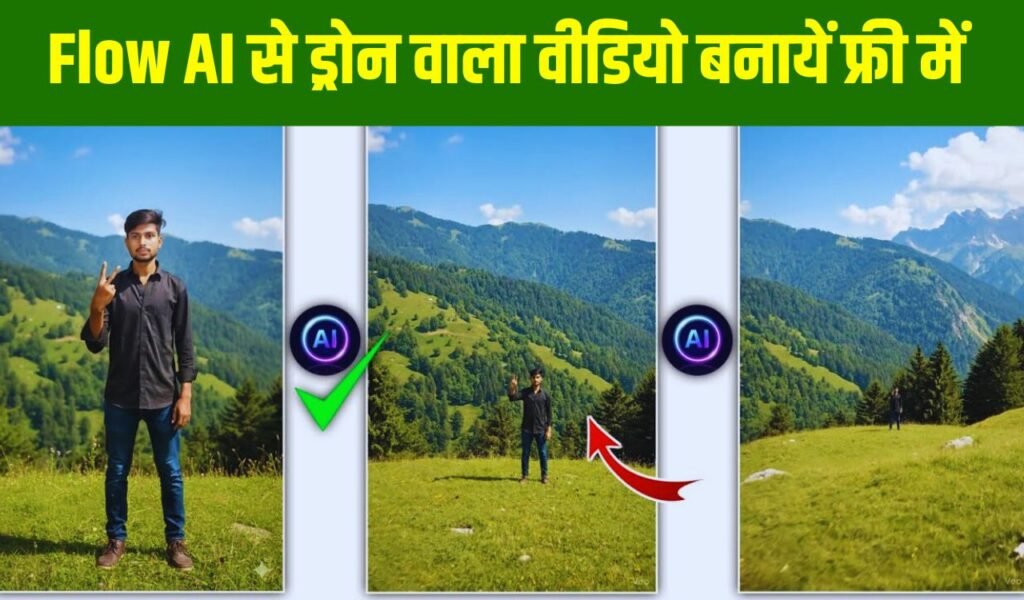
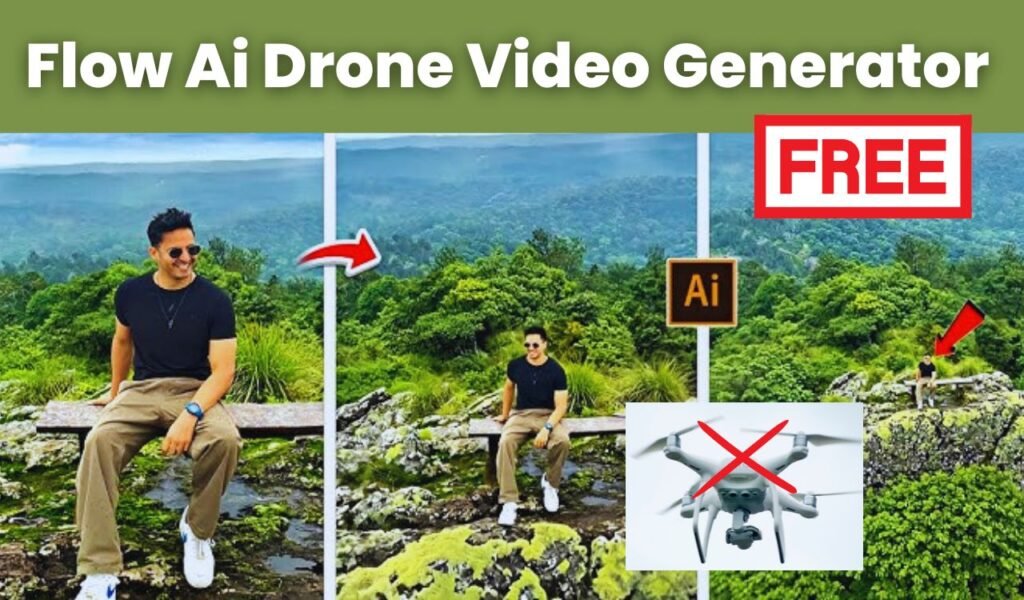
Flow AI Drone Video: If you are active on social media, especially Instagram Reels or YouTube Shorts, you must have seen those amazing aerial videos that look like they were shot with a drone. But here’s the interesting part nowadays, you don’t even need a real drone to create such shots. With tools like Flow AI, you can generate realistic drone-style videos in seconds, without any expensive equipment.
These AI-generated drone videos are trending everywhere, and creators are using them to get millions of views. So if you’re also thinking how to create drone like videos using Flow AI, and want a simple, easy-to-understand guide in plain English you’re in the right place.
Let’s understand it in the easiest way possible.
What Is Flow AI and Why Use It for Drone-Style Videos?
Flow AI is an AI video generation tool where you simply type what kind of scene you want, and the tool creates that video for you within seconds. The best part is it can capture drone-like movements, angles, and smooth cinematic shots almost perfectly.
Creators are using Flow AI for travel videos, house walk-throughs, car shots, wedding clips, reels, and more. It removes all the hassles of using a real drone no license, no flying permissions, no expensive gadgets.
If you are a content creator, blogger, digital marketer, or social media influencer, Flow AI can be a game-changer for you.
What to Prepare Before Creating a Drone Video in Flow AI?
Before generating your video, you just need to decide two things:
- What angle do you want?
- What kind of location should your video look like?
Some popular examples include:
- Flying over mountains
- Aerial view of a beach
- Smooth fly-over of a modern city
- Top view of a house, hotel, or garden
Once you know the scene, Flow AI will generate it exactly how you describe it.
How to Create a Drone-Style Video Using Flow AI (Simple Step-by-Step)
Using Flow AI feels just like telling a friend what kind of video you want. Let’s understand the process easily:
First, open Flow AI’s website. You will see a video creation section. When you click on “Create Video,” a prompt box appears where you simply type the description of your scene.
Example prompt:
“A smooth drone shot flying over a green valley during sunrise.”
If you want to add more details, you can describe:
- Camera movement (slow, cinematic, smooth flyover)
- Weather (sunny, cloudy, golden hour)
- Speed (fast drone fly-through or slow aerial shot)
- Quality (high resolution, 4K look, etc.)
Flow AI reads your entire description and generates a video according to your instructions.
After you click “Generate,” Flow AI takes around 10–20 seconds to create your video. Many times, the final result looks so real that people cannot even guess it was made with AI!
How to Make Your Video Look More Professional? Simple Tips
While Flow AI gives great output, adding a few edits can make it look more cinematic:
- Adjust color and brightness
- Improve contrast
- Add background music
- Add “drone whoosh” sound effects
These small touches instantly enhance the video quality.
For Instagram Reels or YouTube Shorts, don’t forget to export the video in 9:16 vertical format. This helps your video reach more people.
Flow AI Drone Video Prompt
Flow AI uses your photo as the starting frame and then moves the camera exactly like a real drone would. If you want the video to rise upward, rotate around the scene, fly forward, or reveal a wide aerial view, you simply need to describe that movement in the prompt. The drone prompt given below is one of the most commonly used and is considered perfect for creating a realistic drone-style video from a single photo in Flow AI.
After you upload your photo, type this prompt:
“A smooth drone shot starting from the uploaded image and slowly rising upward, revealing the full surrounding area from a high aerial view, cinematic movement, natural lighting, ultra realistic style.”
What Type of Drone Shots Are Trending Right Now?
Currently, these drone-style shots are getting the most views:
- Wide top-down location shots
- Drone flying over houses or temples
- Aerial view of moving cars
- Fly-over rivers and beaches
- Drone moving between skyscrapers
- Wedding venue top shots
Creating videos around trending concepts increases your chances of getting viral.
Who Should Use Flow AI?
Flow AI is beneficial for almost everyone:
- YouTubers: for B-roll and cinematic scenes
- Instagram Reels creators: for trending and viral content
- Bloggers: to add visual content to articles
- Digital marketers: for ads and promotions
- Wedding/travel filmmakers: for beautiful opening shots
Creating professional-level videos has never been this easy.
Is AI Drone Video Creation the Future?
Absolutely yes! AI drone-style videos are becoming extremely popular. In the coming months, this trend will grow even more especially in India, where content creation is booming.
People who learn AI video tools now will have a big advantage in the future. Flow AI is simple, beginner-friendly, and gives impressive output.
Creating Drone Videos With Flow AI Is Super Easy
Flow AI has made video creation unbelievably simple. No drone, no camera, no complex setup just type your scene and in minutes you get a professional-looking drone video.
You can create stunning aerial visuals that look completely real and use them for social media, YouTube, blogs, promotions, or personal projects.
Unlock