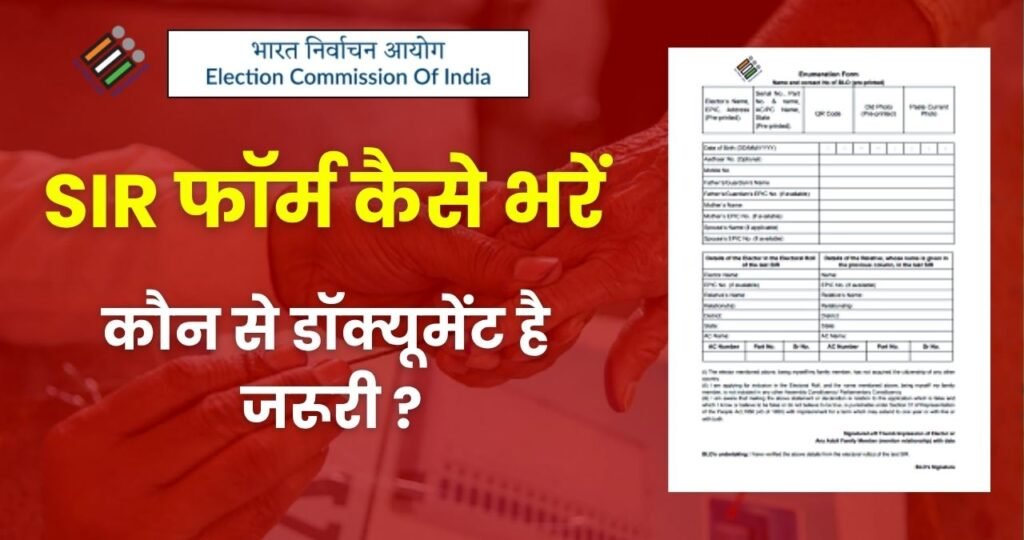
If you live in Uttar Pradesh or any of the states where the Election Commission of India (ECI) has started the Special Intensive Revision (SIR) process, then this article is extremely useful for you. Many people miss the house-to-house survey conducted by Booth Level Officers (BLO), and their names do not get added to the voter list. Later, during elections, people face issues some say their name is missing, others find the address incorrect, while some face EPIC number mismatches.
To avoid such problems, the ECI has released the SIR Online Form, which you can fill from home to add or update your name in the voter list.
In this article, you will learn what the SIR Form UP is, how to fill it, which documents are required, and what the entire process looks likenexplained in very simple language. By the end, you’ll understand everything clearly and easily.
What is the SIR Form UP and Why Is It Important?
Every year, the Election Commission updates the voter list to ensure that no eligible citizen is deprived of their voting rights. However, during the voter enumeration process, some people get left out sometimes they are not at home, sometimes the address is incorrect, or sometimes names get removed unintentionally.
To fix this issue, the ECI launched the Special Intensive Revision (SIR). Under this initiative, online forms are provided in 12 states and UTs to update or add names to the voter list.
If you are a new voter, if a family member’s name is missing, or if you want to update your voter details, SIR Form is the easiest solution.
How to Fill the SIR Form UP? Complete Step-by-Step Guide
Filling the SIR form online is very simple. All you need is a mobile or laptop and an internet connection. Here is the entire process in a very easy format:
1. Access the SIR Form
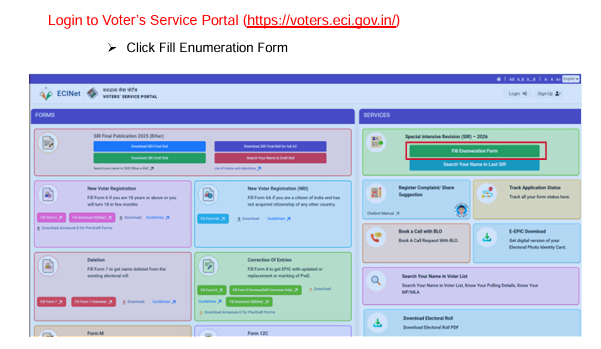
Go to the official ECI Voter Service Portal:
voters.eci.gov.in
Here, SIR-related online forms are available.
Note: The SIR form remains active only during the official revision window (e.g., up to 4 December 2025 for West Bengal).
2. Enter Your EPIC Number or Select New Registration
If you already have a voter ID card, enter your EPIC number and your details will appear automatically.
This includes your name, age, address, and photo.
If you are a new voter, simply choose the option to fill a new form.
3. Verify Your Personal Details
Carefully check the information displayed on the screen, such as:
- Your name
- Date of birth
- Gender
- Address
- Photo
If anything is incorrect, you can easily edit and update the details.
4. Upload Your Recent Photograph
You must upload a recent passport-sized color photo.
Important guidelines:
- The photo must be in color
- Background should be white or light
- Your face must be clearly visible
- Eyes should be open
This photo will appear on your updated voter ID.
5. E-Sign the Form
Once all details are filled, you must E-Sign the form.
This is done digitally through Aadhaar OTP or other digital signature options.
E-signing confirms that the details submitted are genuine.
6. Attach the Required Documents
In some cases, documents are required. These usually include:
Proof of Age:
- Birth Certificate
- 10th Marksheet
- Aadhaar
- Passport
Proof of Address (if your address has changed):
- Electricity/Water Bill
- Bank Statement
- Rent Agreement
- Ration Card
If your details are already correct, you may not need to upload any documents.
7. Submit the Form and Collect Your Receipt
After reviewing all details, submit the form.
You will receive an Acknowledgment Slip and a Reference Number.
You can use this reference number to track your application status anytime.
8. Verification Process
After submission, your application goes to the BLO for verification.
The BLO may contact you if:
- You applied as a new voter
- You requested an address change
- You made major corrections
- You added a new family member
Once the verification is complete, your updated information will be added to the voter list.
How Can Voters Check Their Name?
You can easily check your name or your family members’ details by visiting:
voters.eci.gov.in
Additionally, for help, you can call 1950 (with STD code).
ECI Net App also allows you to Book-a-Call with BLO for any assistance.
Complete SIR Phase-II Timeline (Including UP & Other States)
As per the official schedule:
- 28 Oct – 3 Nov 2025: Printing & Training
- 4 Nov – 4 Dec 2025: House-to-House Enumeration
- 9 Dec 2025: Draft Voter List Publication
- 9 Dec – 8 Jan 2026: Claims & Objections Period
- 9 Dec – 31 Jan 2026: Hearings & Verification
- 7 Feb 2026: Final Voter List Release
This means your updated name will appear in the voter list after 7 February 2026.
Official Portals to Fill the SIR Form
You can fill and submit the SIR form through any of these portals:
- ECI Official Portal: eci.gov.in
- Voter Services Portal (SIR): voters.eci.gov.in
- State CEO Portals: e.g., ceowestbengal.wb.gov.in
All portals lead to the same application system.
Conclusion
The Special Intensive Revision (SIR) is a very useful initiative that helps eligible citizens quickly register or update their names in the voter list without any hassle. If you missed the physical survey or couldn’t register earlier, this is the perfect opportunity to get your voter information updated.
Remember your vote is extremely important, and you can exercise that right only if your name is correctly listed in the voter roll. So don’t delay fill your SIR form online, keep your documents ready, and make sure you are fully eligible to vote in the upcoming elections.