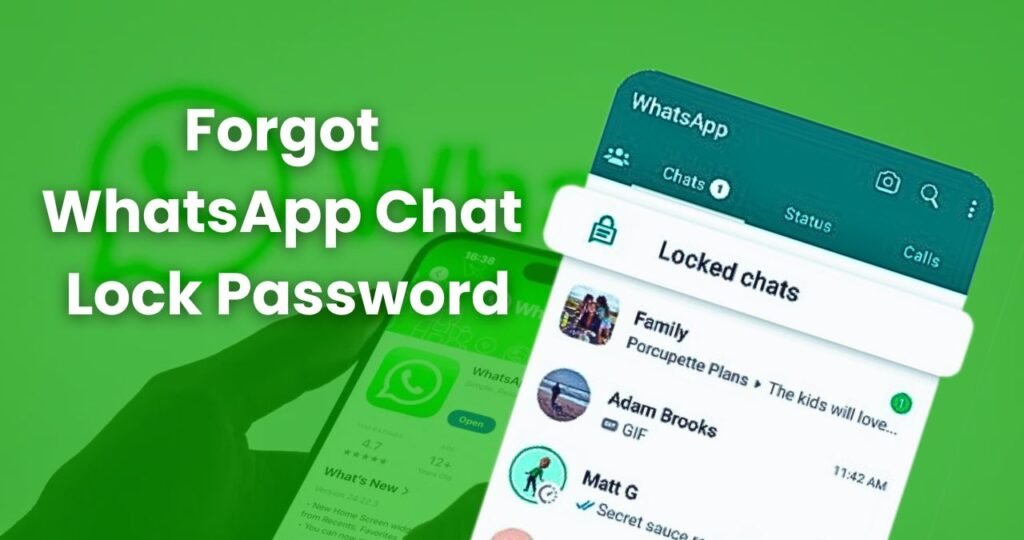
Imagine this you are trying to open an important WhatsApp chat, you quickly enter the password, and suddenly your mind goes blank What was the password? Whether it was a PIN, Pattern, or some lock you set long ago, WhatsApp Chat Lock simply refuses to open.
This situation is very common, and yes, it can be frustrating. Many times we change passwords often or update our phones, and in the process, we ourselves forget the chat lock we set earlier.
If you are also stuck in this problem and worried about how to unlock your WhatsApp Chat Lock without losing your data, then relax. Here you will get the simplest explanation of every method that actually works.
What Exactly Is WhatsApp Chat Lock?
WhatsApp Chat Lock is a special privacy feature that allows you to hide specific chats inside a separate locked folder within the app. These chats can be opened only with a password, PIN, pattern, or biometric authentication.
This is very useful for people who want to keep certain conversations private.
But the problem begins when the same password becomes impossible to remember. And then the lock that was protecting you becomes a headache.
Forgot Your Chat Lock Password? Here’s the Easiest Relief
First of all, understand this forgetting a WhatsApp Chat Lock password is extremely common.
WhatsApp, for security reasons, does not show your password or send any recovery code or OTP to unlock it directly.
But the good thing is: there are still several ways to access your locked chats safely.
If Fingerprint or Face Unlock Is On, Your Problem Is Already Solved
Most people forget that when they set their Chat Lock, they also enabled Fingerprint or Face Unlock.
If you did the same, you don’t need to remember the password at all.
Just go to the “Locked Chats” section and unlock it using your fingerprint or face scan.
Many times we worry unnecessarily, while the simplest solution is already available in our phone.
Your Device Lock Can Also Unlock Chat Lock
WhatsApp often links Chat Lock with your phone’s system lock.
So if you selected the option Use device unlock, then the Chat Lock can be opened with your phone’s PIN or pattern.
So first check your device lock it might be all you need.
How to Reset the Chat Lock Password
Now coming to the main question:
If you created a separate PIN or Pattern for Chat Lock and forgot it, how do you reset it?
Yes, WhatsApp allows you to reset the Chat Lock indirectly.
You simply need to turn the Chat Lock feature OFF and then enable it again from the settings. When you do this, WhatsApp asks you to create a brand-new password.
You may need your phone’s lock to authorize this, but once allowed, you can easily set a new Chat Lock password.
Your Chats Will Not Be Deleted — No Data Loss
Many people think that resetting the lock might delete chats.
But nothing like that happens.
WhatsApp only resets the lock, not your chats.
So your messages remain exactly the same completely safe.
When Should You Reinstall WhatsApp?
Most of the time, you can reset the Chat Lock without reinstalling the app.
But if:
- the app is stuck,
- fingerprint is not working,
- or the password screen is glitching,
then reinstalling WhatsApp can help.
Before uninstalling, take a backup on Google Drive so that your chats restore automatically after reinstalling.
When you reinstall WhatsApp, the Chat Lock gets removed automatically, so you can open all chats without any password.
This is also a very effective method if nothing else works.
If Your Pattern Shows Wrong Even When It’s Correct
Sometimes WhatsApp keeps showing Wrong pattern even when you are entering the right one.
This happens when:
- your screen is dirty,
- your finger is wet,
- or your phone is lagging.
Restart your device, clean the screen, and try again.
Surprisingly, a simple restart helps many users unlock their chats instantly.
Does WhatsApp Support Reveal Your Password?
The answer is No.
For privacy reasons, WhatsApp Support never reveals or resets your password for you.
However, if the lock is not opening due to a technical error or bug, the support team can guide you on what steps to take.
Remove the Lock and Create a New One
If nothing works at all, go to WhatsApp settings, turn off Chat Lock completely, and then start it again.
The old password will be removed automatically, and you can create a fresh password.
This method is 100% safe your chats do not get deleted.
How to Avoid Forgetting the Password in the Future
Whenever you set a new Chat Lock password:
- keep it similar to your phone lock,
- or use biometric unlock so you don’t need to remember anything.
And avoid changing the password too often unless really needed.